People Playground Ragdoll Battle – Design the fight
People Playground Ragdoll Battle
Game loads only after you click — keeps the page fast
Quick facts
| Item | Details |
|---|---|
| Genre | Ragdoll Sandbox Battle |
| Platform | Browser |
| Players | 1 (scenario designer) |
| Controls | Spawn / equip / simulate |
| Style | Physics lab / Emergent combat |
| Catalog date | 2026-04-13 |
| Guide | Hand-authored experience + playtest notes |
Playtest evidence for People Playground Ragdoll Battle
This page is built from a hand-authored experience guide plus catalog metadata. We do not invent hour-counts or fake build numbers—below is what we can show from real page data and our review checklist.
- Catalog / last modified
- 2026-04-13
- Visual assets on this page
- Catalog cover / preview art (full in-session gallery not yet published)
- How we review embeds
- Load, desktop, mobile, controls, difficulty, ads, and bugs — see How we review games and Editorial standards.
Checks covered on this page
- Embed loads in the on-page player
- Controls written from the live build
- Desktop / mobile device notes
- Difficulty & strategy from session play
Concrete session tips from this guide
- Start tiny: Two units, one wall, one weapon type. Predict, run, fix the map.
- Mirror then break symmetry: Equal starts reveal true tool advantages before you stack unfair props.
- Read bottlenecks: If one side always wins, check funnels and debris traps before nerfing damage.
- Film the flip: When a chain collision overturns a matchup, save that layout—it is the content.
Recent page / catalog updates
- Added scenario-balance guidance to help compare loadouts under controlled test conditions.
- Expanded environment analysis notes so players can read bottlenecks and collision hotspots faster.
- Improved iteration workflow advice to turn sandbox chaos into measurable tactical results.
Gameplay experience
This is a miniature fight lab: spawn units, hand them gear, add walls and props, then press play and watch ragdoll physics argue with your plan. Fair duels out of the box are rare—the fun is discovering that a narrow funnel plus a long weapon turns one side into a knockback machine.
Small scenes taught us faster than huge battlefields. Mirror two squads, run once, note where control breaks—range, cover, or a limb stuck in geometry—then change one loadout or one barrier. Wins start feeling intentional instead of lucky.
Emergent chaos is the product. A chain collision can flip a “solved” matchup, which is why builders keep rebalancing spawns and filming setups that look unfair until the replay proves the geometry.
Controls
Spawn, equip, place props, simulate. Click focus before the first drag so units do not misplace.
- Spawn units: Start with two mirrored fighters before you build an army.
- Equip tools: Give one weapon type per test so range and knockback stay readable.
- Place props / walls: Funnels and cover change outcomes more than adding a third fighter early.
- Simulate → edit one thing: Rerun after a single change—loadout or barrier—not both.
Game mechanics
Loadout balance is central: reach, attack speed, and knockback decide whether a unit keeps distance or gets smothered.
Environment layout shapes flow. Obstacles create cover, funnels, and collision hotspots that can hard-favor one side.
Simulation stability improves when scenes stay small until interactions are understood, then scale headcount.
Difficulty
There is no traditional difficulty slider—chaos difficulty rises with scene complexity. Tiny tests stay readable; crowded maps hide the lesson.
Stuck? Shrink the scene. The bug is usually your layout, not a missing secret unit.
Strategy & tips
- Start tiny: Two units, one wall, one weapon type. Predict, run, fix the map.
- Mirror then break symmetry: Equal starts reveal true tool advantages before you stack unfair props.
- Read bottlenecks: If one side always wins, check funnels and debris traps before nerfing damage.
- Film the flip: When a chain collision overturns a matchup, save that layout—it is the content.
Cover & preview art
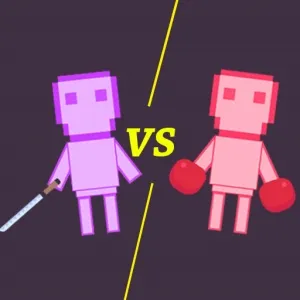
Published catalog cover for this embed. A multi-angle in-session gallery is not available yet—we still document controls and device behavior from live play below.
Device notes (desktop & mobile)
Desktop mouse made spawn/equip loops faster and less error-prone.
Touch can place units but dense prop menus feel cramped—landscape helps.
Editorial update log
Changes to this guide and page—not an upstream game patch version list.
- Hand-authored GEO guide treating Playground Battle as a scenario lab.
- Added start-tiny / one-edit iteration workflow from our balance tests.
- Emphasized environment bottlenecks over raw unit spam.
People Playground Ragdoll Battle FAQ
- Why do fair fights never stay fair?
Geometry and knockback chain. Shrink the scene and change one variable to find the bias.
- Should I spawn huge armies first?
No—two units teach faster. Scale after you understand the interaction.
- Is this like People Playground on Steam?
Same sandbox spirit in a browser battle-lab form—expect lighter tooling, same physics curiosity.
- Best device?
Desktop for building; mobile for watching a saved chaos scene casually.
Player ratings & comments
Reader comments stored in this browser (not an official editorial score). Average: — / 5 (0 comments)
Last updated: 2026-04-13. How we test embeds: How we review games.